

Invalid Redemption Code or Character ID in PUBG Mobile (2026 Fix Guide)
Many PUBG Mobile players encounter the frustrating message "Invalid Redemption Code or Character ID" when attempting to redeem rewards through the official PUBG Mobile Redemption Center. This error can prevent players from claiming promotional rewards, exclusive event items, weapon skins, and other limited-time bonuses.
In most cases, the issue is caused by an incorrect Character ID, an expired redemption code, regional restrictions, or temporary server problems. Fortunately, there are several proven solutions that can help resolve the error quickly.
This guide explains what the error means, why it appears, and the exact steps you can take to successfully redeem PUBG Mobile rewards in 2026.
Stay updated with the latest redeemable rewards and event bonuses.
Latest Working PUBG Codes
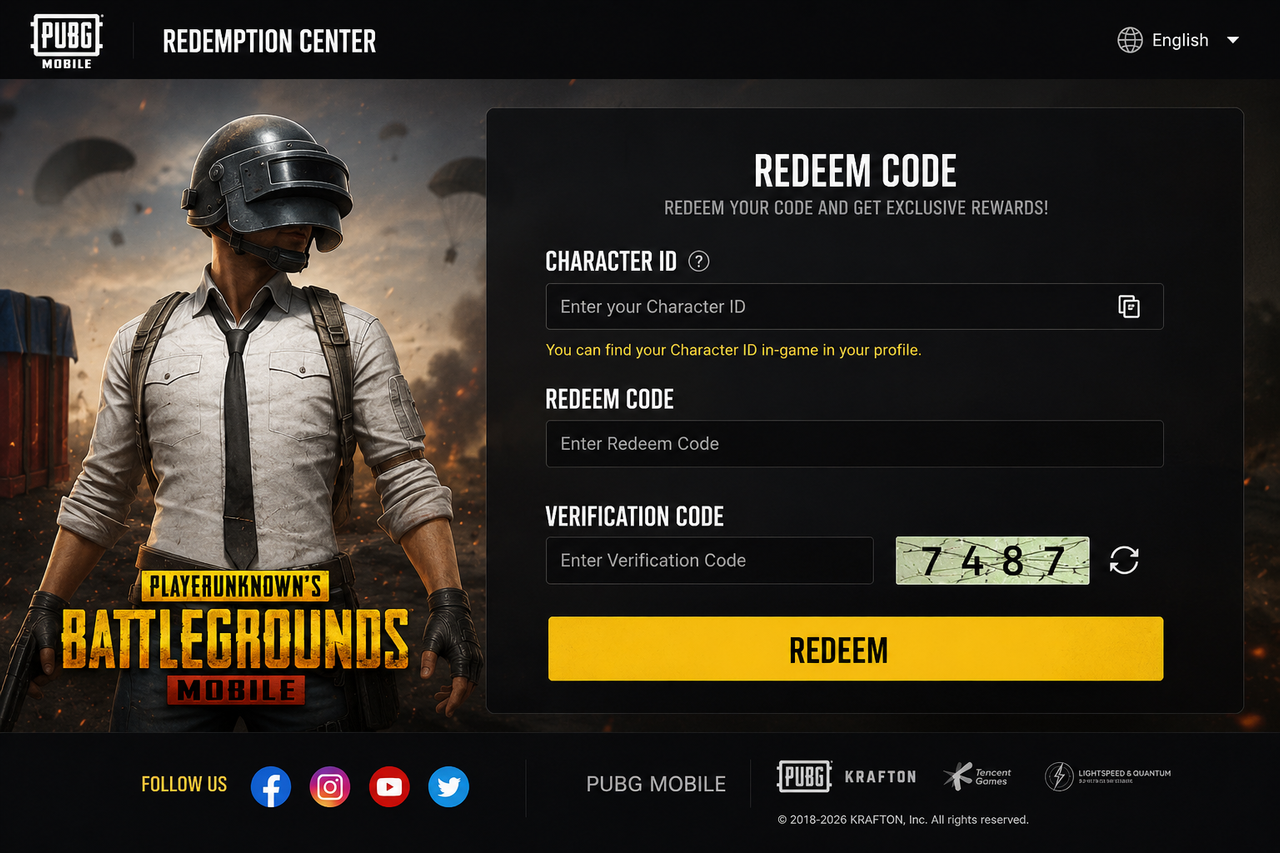
Most Common Causes of the Error
What Does Invalid Redemption Code or Character ID Mean?
The error message indicates that PUBG Mobile cannot validate either the redemption code or the Character ID entered during the redemption process.
When redeeming rewards, the system checks several pieces of information before approving the reward request. If one of these details does not match the PUBG Mobile database, the redemption attempt will fail.
The issue may occur because:
- The Character ID is entered incorrectly.
- The redemption code has expired.
- The reward code is region-locked.
- The code has already reached its redemption limit.
- The Redemption Center is experiencing temporary issues.
Understanding the exact cause is important because the solution depends on what triggered the error in the first place.
Stay updated with the latest redeemable rewards and event bonuses.
Latest Working PUBG Codes
Most Common Causes of the Error
Several factors can trigger the "Invalid Redemption Code or Character ID" error in PUBG Mobile. Identifying the exact cause will help you fix the issue faster and successfully claim your rewards.
Entering the Wrong Character ID
The most common reason is entering an incorrect Character ID. Many players accidentally enter their username instead of their numeric Character ID, causing the redemption system to reject the request.
Always copy your Character ID directly from your PUBG Mobile profile to avoid typing mistakes.
Find Your PUBG Character ID
Expired Redeem Codes
PUBG Mobile redeem codes often have limited validity periods. Once a code expires, it can no longer be used even if it previously worked.
Players should always use the latest available codes and redeem them as soon as possible.
Latest Updated PUBG Codes
Regional Restrictions
Some redeem codes are created for specific countries or regions. A code intended for one region may not work for players located elsewhere.
If a code appears valid but keeps failing, regional restrictions may be the reason.
How to Redeem PUBG Codes and Rewards
Temporary Server Issues
During major events, updates, or reward campaigns, PUBG Mobile servers may experience heavy traffic. This can temporarily prevent successful redemptions.
Waiting a few hours and trying again often resolves the issue.
Redemption Code Is Unavailable Fix Guide
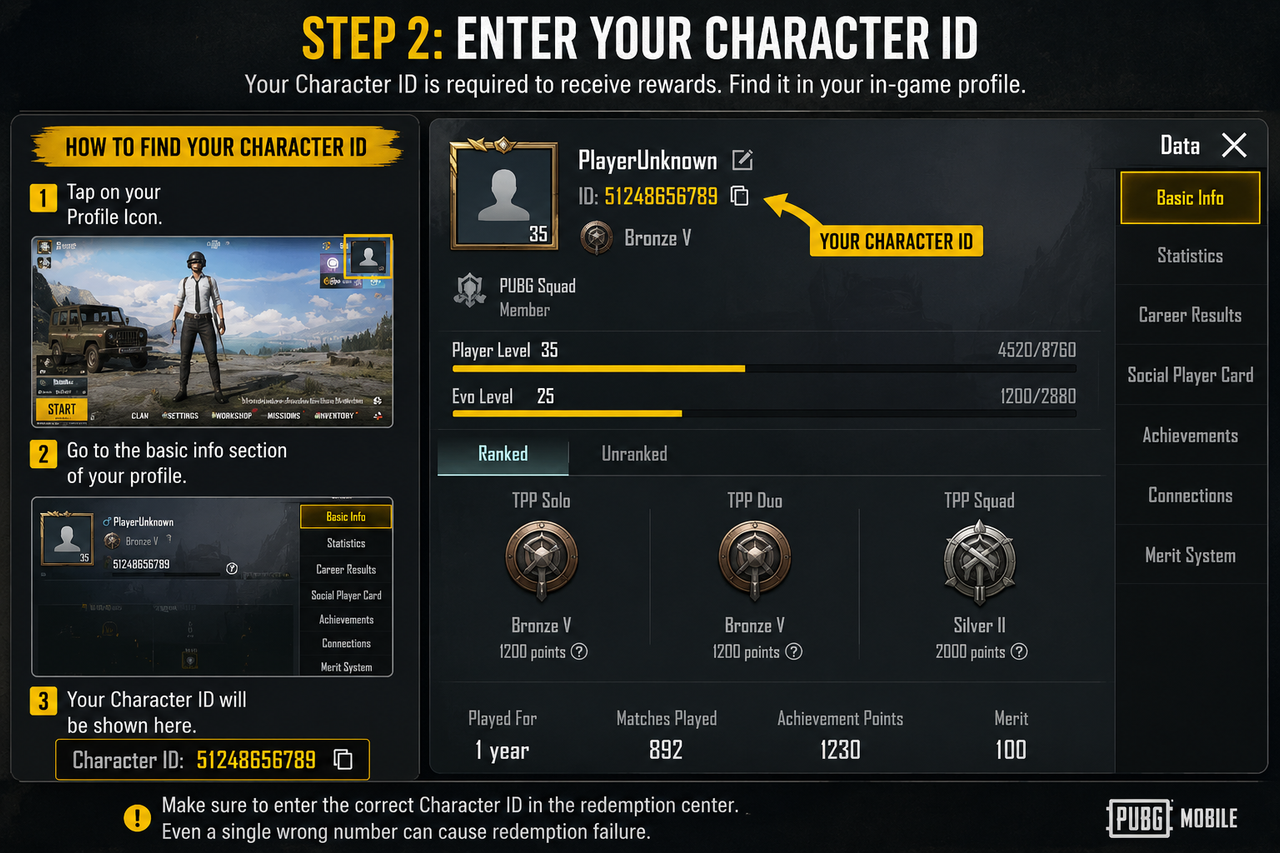
How to Find Your PUBG Mobile Character ID
Your Character ID is a unique numerical identifier assigned to your PUBG Mobile account. The Redemption Center uses this ID to determine where rewards should be delivered.
If you enter the wrong Character ID, PUBG Mobile cannot verify your account and the redemption request will fail.
Fortunately, finding your Character ID only takes a few seconds.
How to Find Your PUBG Character ID in PUBG Mobile
Step 1: Open PUBG Mobile
Launch PUBG Mobile and log into the account where you want to receive rewards.
Make sure you are using the correct account before proceeding.
How to Redeem PUBG Codes and Rewards
Step 2: Open Your Profile
Tap your profile avatar located in the upper-left corner of the game lobby. This opens your account information page.
Your profile contains important account details, including your Character ID.
PUBG Mobile Redemption Center Guide
Step 3: Locate Your Character ID
Your Character ID appears beneath your player information and is usually displayed as a long numeric string.
Copy the number carefully and avoid including extra spaces.
PUBG Mobile Player ID vs Character ID
Character ID vs Player ID
Many PUBG Mobile players confuse Character IDs with Player IDs. Although they appear similar, they serve different purposes.
Using the wrong identifier is one of the most common reasons for redemption failures.
Character ID vs Player ID Explained
What Is a Character ID?
A Character ID is the unique account identifier required by the PUBG Mobile Redemption Center. Rewards are delivered based on this number.
Find Your Character ID
What Is a Player ID?
A Player ID may be used for profile visibility, social features, or account identification inside PUBG Mobile. However, it may not always be accepted during reward redemption.
How to Redeem PUBG Rewards
Why Using the Wrong ID Causes Errors
If the Redemption Center cannot match the submitted ID to a valid account, it will return an error message such as "Invalid Redemption Code or Character ID."
Always verify that the number entered matches the Character ID displayed in your profile.
PUBG Redeem Code Not Working? Easy Fix
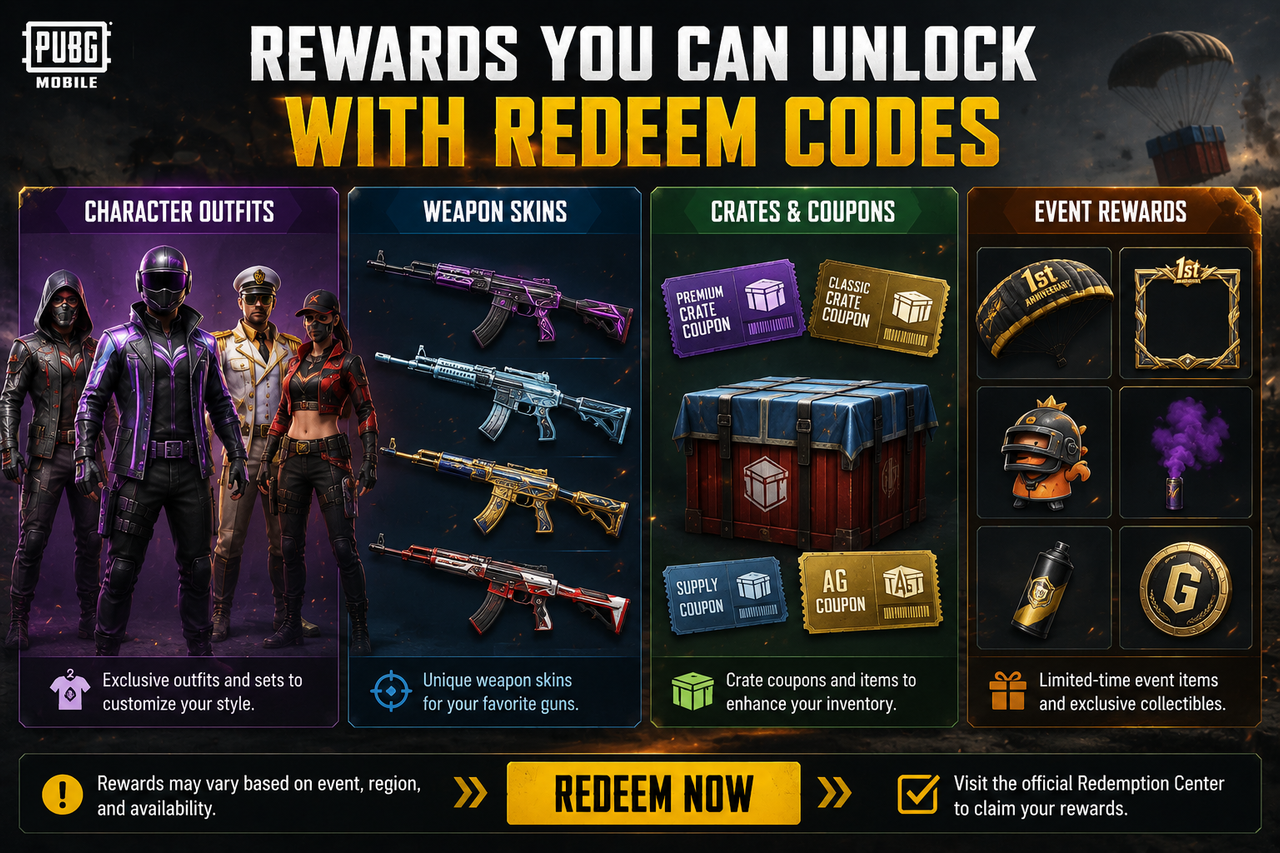
Step-by-Step Fix for Invalid Redemption Code Errors
If you're repeatedly seeing the "Invalid Redemption Code or Character ID" message, don't worry. In most cases, the problem can be fixed by following a few simple troubleshooting steps.
Work through the solutions below one by one until the redemption process succeeds.
Latest Working PUBG Codes
Verify Your Character ID
The first thing you should check is your Character ID. A single incorrect digit can cause the Redemption Center to reject your request.
Open your profile, copy the Character ID directly, and paste it into the redemption form instead of typing it manually.
How to Find Your PUBG Character ID
Check Whether the Code Has Expired
Many redeem codes are only valid for a short time. If the campaign has ended, the code will no longer work regardless of whether it was previously active.
Always use recently updated codes from reliable sources.
Latest Updated PUBG Codes
Use the Official PUBG Mobile Redemption Center
Some players accidentally use unofficial websites or outdated redemption pages. This can result in validation errors or failed submissions.
Always redeem rewards through the official PUBG Mobile Redemption Center.
PUBG Mobile Redemption Center Guide
Confirm Your Region Supports the Code
Certain PUBG Mobile redeem codes are released for specific countries or regions. Attempting to redeem a region-restricted code outside its supported area may trigger an error.
If a code seems valid but keeps failing, check whether it is intended for your location.
How to Redeem PUBG Codes and Rewards
Wait and Try Again Later
Temporary server issues can sometimes interfere with the validation process. During major events, updates, and reward campaigns, the Redemption Center may become overloaded.
Waiting a few hours before trying again often resolves the problem.
Redemption Code Is Unavailable Fix Guide
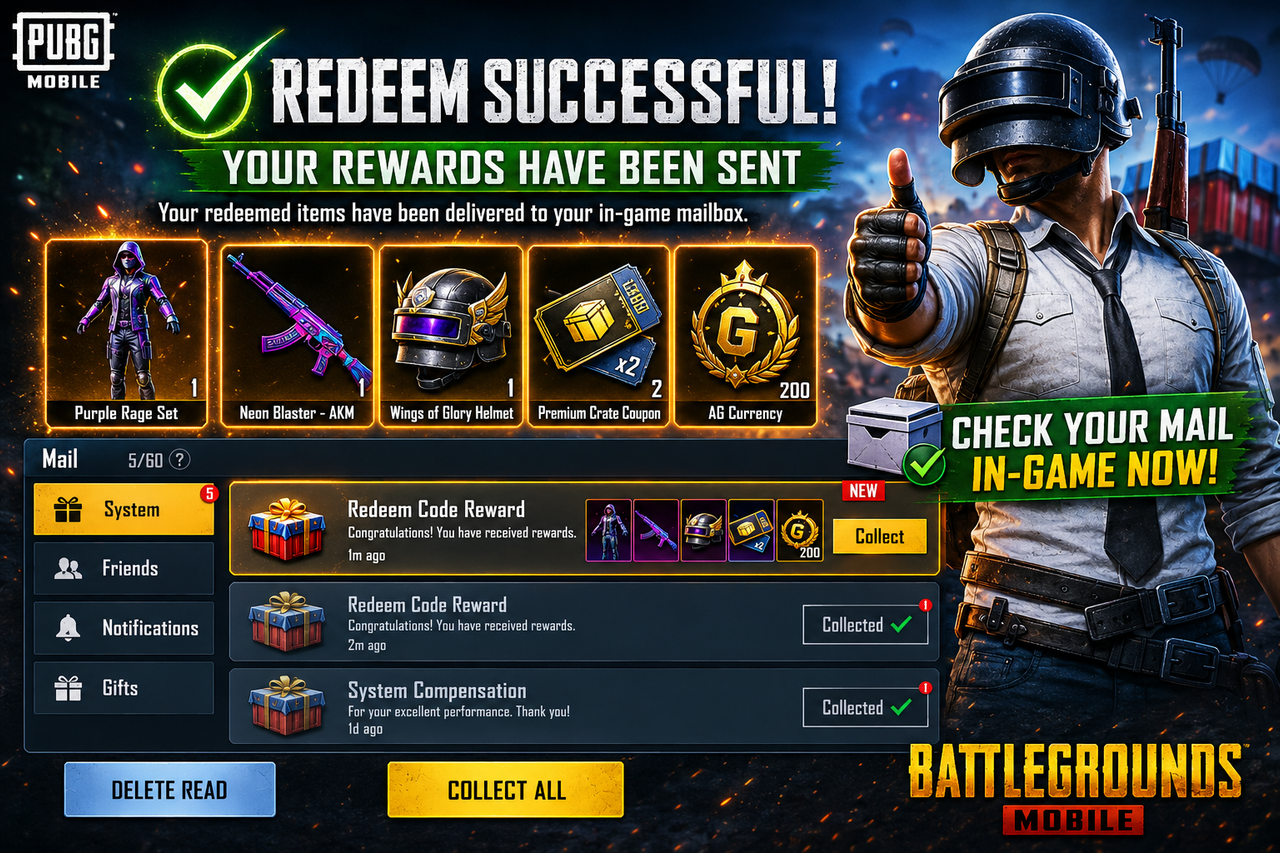
PUBG Mobile Redemption Center Troubleshooting
The PUBG Mobile Redemption Center is responsible for validating Character IDs, redeem codes, and reward eligibility. If any of these checks fail, the system will return an error message.
Understanding how the Redemption Center works can help prevent future redemption problems.
Complete Redemption Center Guide
Clear Browser Cache and Cookies
Old browser data can sometimes interfere with form submissions. Clearing your cache and cookies may resolve unexpected redemption issues.
PUBG Redeem Code Not Working?
Try a Different Browser
If the Redemption Center is not loading properly, test the process using another browser or device.
This can help determine whether the issue is browser-related.
Common Redemption Error Solutions
Why Redeem Codes Stop Working
PUBG Mobile redeem codes are not permanent. Most codes are released as part of promotional campaigns, esports events, collaborations, or seasonal updates. Once a campaign ends, the code may become invalid.
Many players believe a code is broken when in reality it has simply expired or reached its redemption limit.
Latest Updated PUBG Codes
Code Expiration
Every redeem code has a validity period. Once that period ends, the code will stop working even if it was valid previously.
Latest Working PUBG Codes
Redemption Limits
Some PUBG Mobile codes can only be redeemed by a limited number of players. After the redemption limit is reached, the code becomes unavailable.
How to Redeem PUBG Codes and Rewards
Regional Restrictions
Reward codes may only work in specific countries or regions. Players outside the intended region may receive redemption errors even when the code appears valid.
PUBG Mobile Redemption Center Guide
Frequently Asked Questions
Why Does PUBG Mobile Say Invalid Character ID?
This usually happens when the Character ID is entered incorrectly, contains missing digits, or belongs to a different account.
Find Your Character ID
Can I Use Redeem Codes From Another Region?
Not always. Some PUBG Mobile redeem codes are region-specific and may only work in selected countries.
PUBG Reward Redemption Guide
How Often Are New Redeem Codes Released?
New codes are commonly released during special events, partnerships, seasonal updates, and esports tournaments.
Latest PUBG Code Updates
What Should I Do If My Code Is Valid But Not Working?
Verify your Character ID, confirm the code has not expired, check for regional restrictions, and try again later if the Redemption Center is experiencing server issues.
PUBG Redeem Code Not Working?
Is the PUBG Mobile Redemption Center Safe?
Yes. The official Redemption Center is the safest and most reliable method for redeeming PUBG Mobile reward codes.
Official Redemption Center Guide
Final Thoughts
The "Invalid Redemption Code or Character ID" error is usually caused by incorrect account information, expired codes, regional restrictions, or temporary server issues. Fortunately, most cases can be resolved by verifying your Character ID, checking code validity, and using the official PUBG Mobile Redemption Center.
By following the solutions in this guide, you can improve your chances of successfully redeeming rewards and avoiding common redemption mistakes.
Latest Working PUBG Codes
Latest Updated Reward Codes
PUBG Mobile Redemption Center Guide
Find Your Character ID
PUBG Redeem Code Not Working? Easy Fix